

Product Release Newsletter: April 2026
Join hundreds of companies and start your identity governance journey today

From Shadow IT to Automated Control
Stay ahead of shadow IT, access reviews, and identity automation with the latest Josys updates.
From automatically classifying new apps and filtering Google Workspace users to improving access review automation and workflow reliability, this release helps IT teams move faster with better control.
New Feature Releases
New automation workflows for newly discovered apps

New apps and shadow IT don’t have to catch you off guard.
Automatically monitor, classify, and act on newly discovered apps based on attributes like compliance, risk, and category. As adoption grows (e.g., 20+ users), Josys can notify your team, evaluate conditions, auto-approve trusted apps, and auto-block unapproved ones by triggering actions in your security provider like Cloudflare.
No manual tracking, just real-time visibility and control.
Control which users get synced from Google Workspace
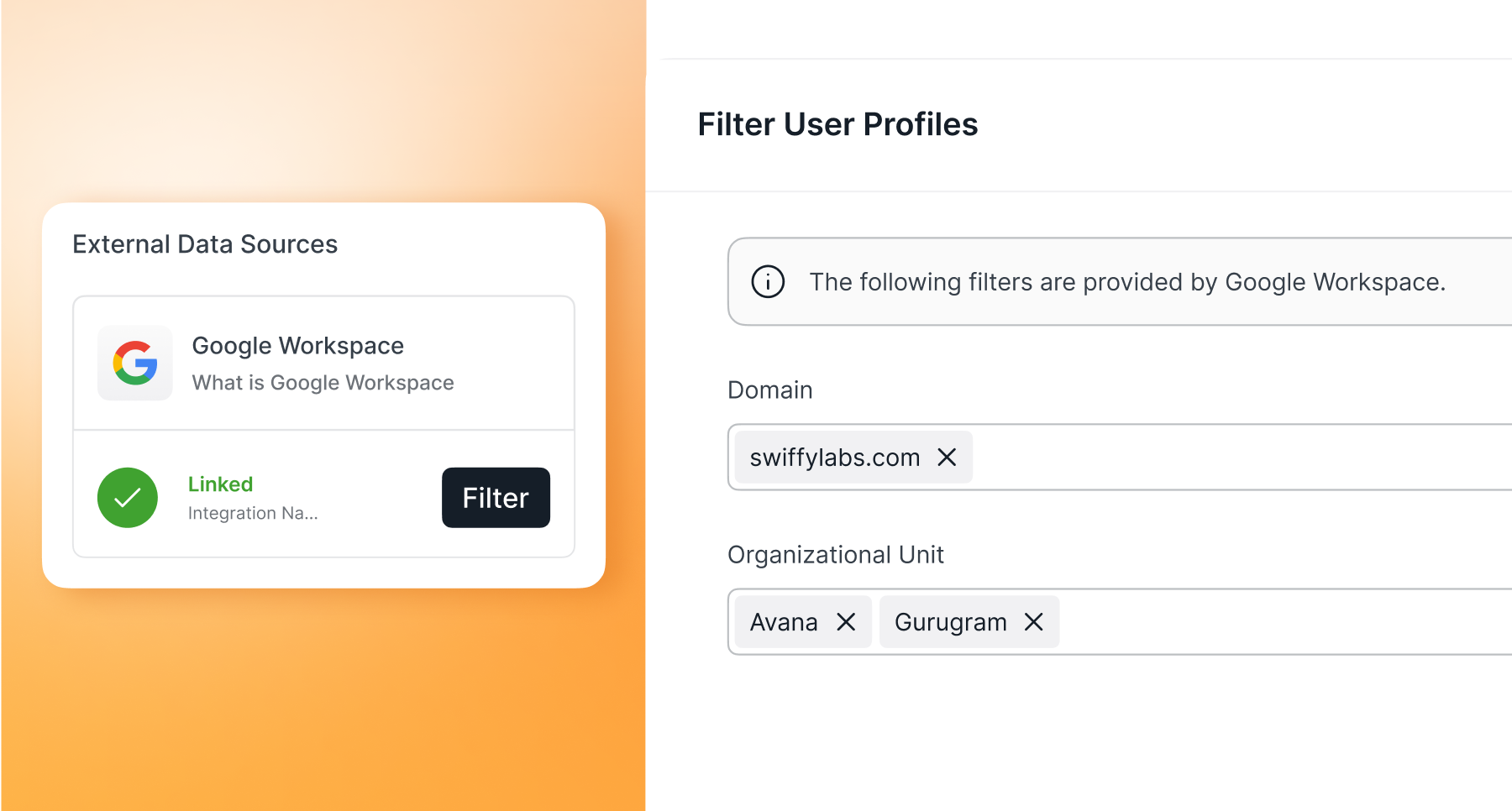
Managing users in a Google Workspace tenant that is shared across multiple teams or companies can get complex.
With User Profile Filtering for Google Workspace (GWS), Josys lets you sync only the users that matter. Filter by domain or organizational unit (OU) to onboard specific teams while keeping your environment clean and focused.
Easily search and configure filters, track sync status in real time, and automatically remove excluded users - no manual cleanup needed.
Expand automation with enhanced Open APIs
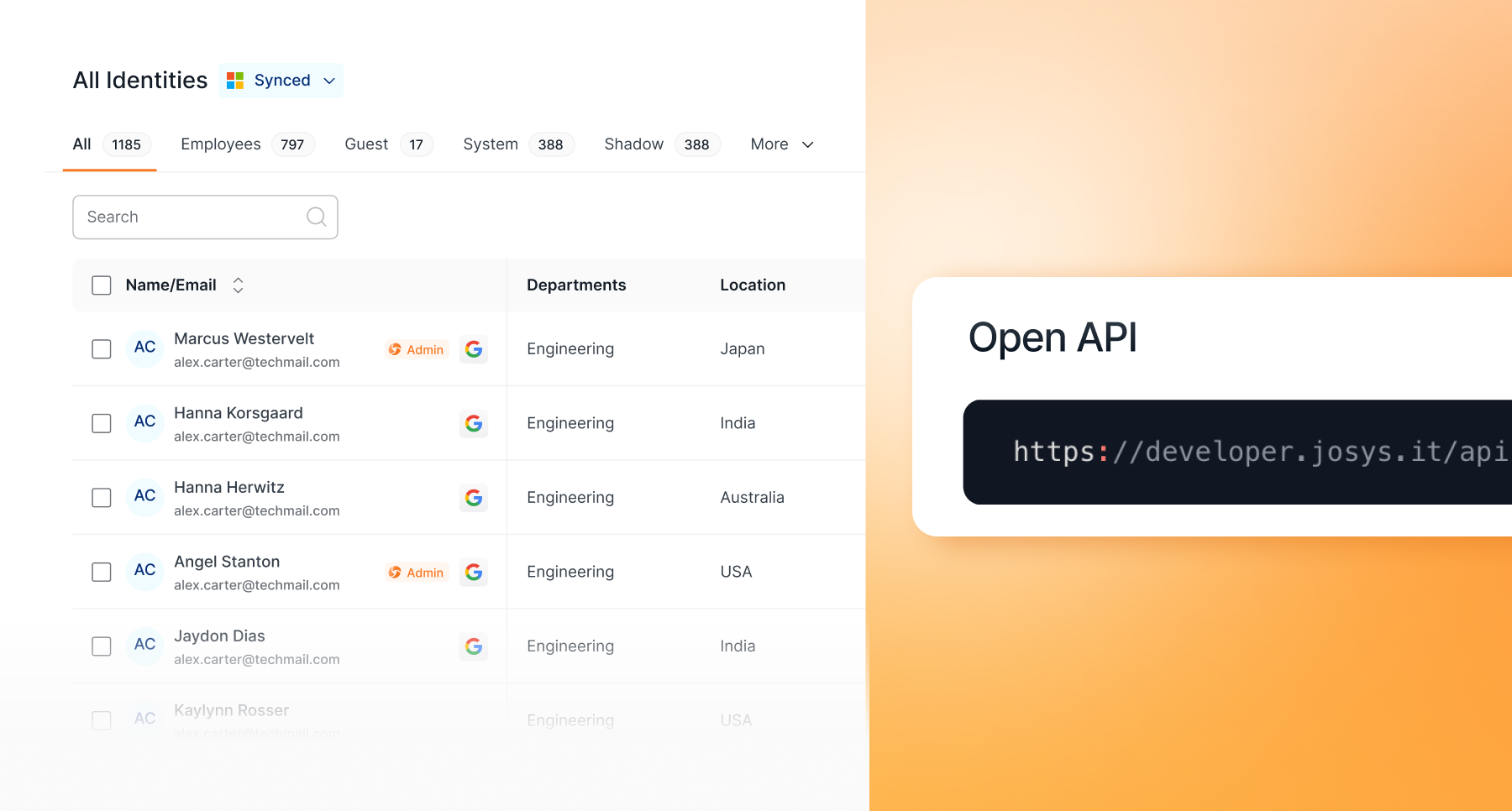
Josys expands its Open API capabilities to support enterprise-grade automation across identity and access management.
With new API enhancements, you can now manage different attributes like:
- Manage ‘departments’ with full update and delete support
- Perform complete CRUD operations for ‘locations’
- Create and manage user profile custom fields via API
All endpoints are fully documented and ready to use.
Build end-to-end identity sync workflows, automate integrations with your on-prem Active Directory, and eliminate manual gaps across your environment.
Enhancements
Schedule automated, recurring access reviews

Running regular access reviews is essential for strong access governance, but setting them up manually every time can slow teams down.
With Scheduled & Recurring Access Reviews, Josys automates your entire access review process:
- Trigger reviews instantly, schedule them in advance, or run automated access reviews on a quarterly, half-yearly, or yearly basis.
- Set start dates, define frequencies, and ensure consistent access certification without repeated setup.
- Track upcoming access reviews, past runs, and next schedules all in one place.
This ensures less manual work and stronger, more consistent access governance.
Segment and run targeted access reviews

Not every access review needs to cover all users and chasing responses slows everything down.
With Josys, you can run targeted access reviews by selecting specific users based on role, department, or risk. Focus only on the accounts that matter without relying on preset categories.
Boost completion with automated reminders. Set reminder frequency, notify only pending reviewers, and define closure dates to ensure reviews are completed on time.
The result? Flexible targeting. Faster responses and completion. All leading to stronger access governance without the manual follow-up.
Control unapproved app usage automatically
.png)
Employees using applications on your “unapproved” list can introduce security and compliance risks across your SaaS environment.
With Josys, you can create workflows that automatically detect unapproved app usage and send warnings to employees to stop using it. For example, if “Grok” is identified in use, a message is automatically sent to the employee that usage has been detected and they must stop using it.
Retry failed workflows without rebuilding them

Workflow automation can fail due to integration issues, transient errors, or duplicate actions, often requiring manual fixes.
With Manual Retry for Failed Workflows, Josys lets you re-run failed workflow executions directly from workflow history. Once the issue is resolved, simply retry - no need to repeat actions manually.
Control how user attributes sync with granular field mapping
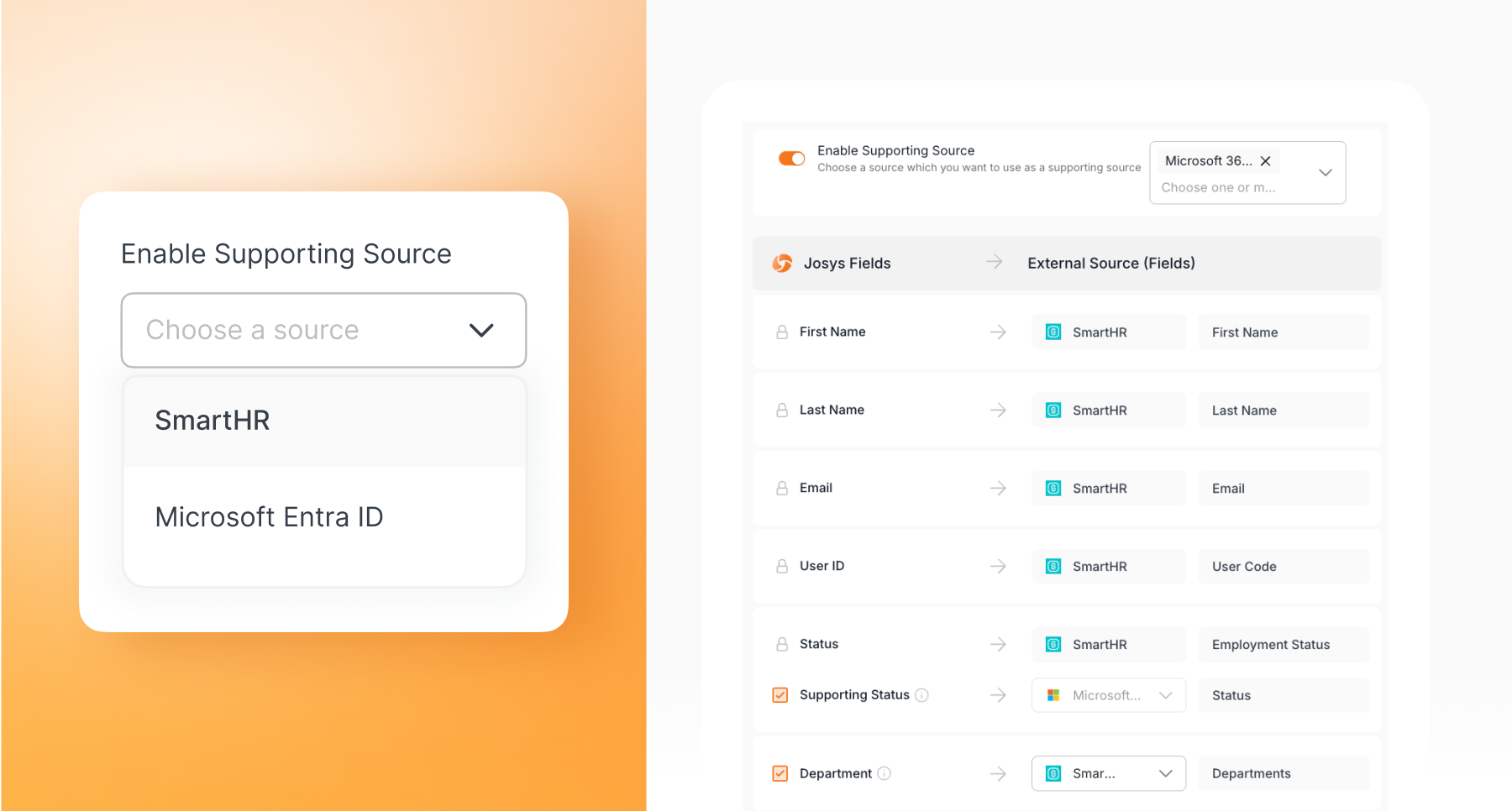
Syncing user data from external directories shouldn’t be all-or-nothing.
With the new enhancement, Josys gives you granular control over user attribute synchronization from external identity sources. Enable or disable sync for individual fields, keep specific attributes as Josys-managed local fields, and prevent unwanted overrides.
When sync is turned off, existing values are preserved, so you don’t lose critical data during changes.
over your identities, applications, and files?
Sign-up for a 14-day free trial and transform your IT operations.




Questions? Answers.




What is Josys?

End-to-End Identity
Governance made easy for IT


