

Product Release Newsletter: October 2025
Join hundreds of companies and start your identity governance journey today

This October 2025 update features AI-powered SaaS Risk Analyzer, Privileged Access Management, User Profile Filtering for Microsoft Entra ID, and Workflow Updates – giving IT teams more transparency in managing their security and access governance.
AI-Powered SaaS Risk Analyzer
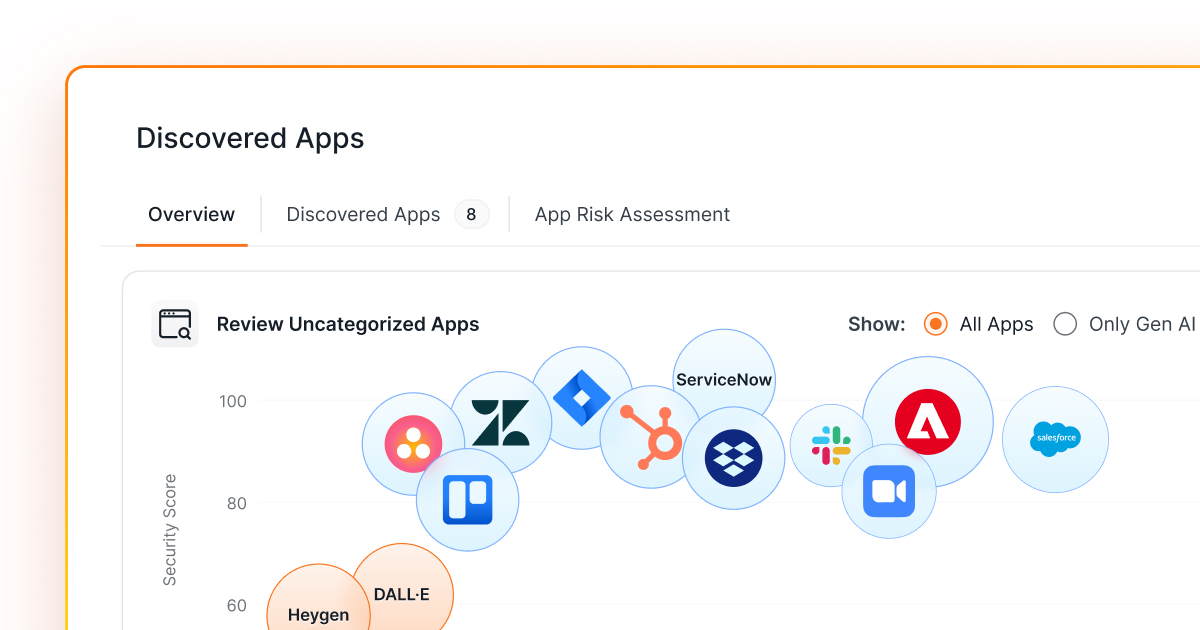
The new SaaS Risk Analyzer, powered by Josys AI, transforms how IT and security teams assess third-party app risk. Our proprietary scoring engine, aligned with SCuBA framework, is built on publicly accessible crowdsourced data and now delivers a detailed Security Score (0–100) and clear Risk Level (Low, Medium, High) for SaaS apps discovered in your environment.
Highlights:
- Overview Tab: New and improved dynamic bubble chart view for the top 20 discovered apps. Showing risk score vs. usage – one click lets you drill into app-specific user access and risk intel.
- App Risk Assessment Tab: AI-based risk assessments and details for the 1,000+ popular apps.
- All Other Discovered Apps: Netskope risk levels will continue to be shown for all other 15,000+ non-AI-powered apps.
Privileged Access Management
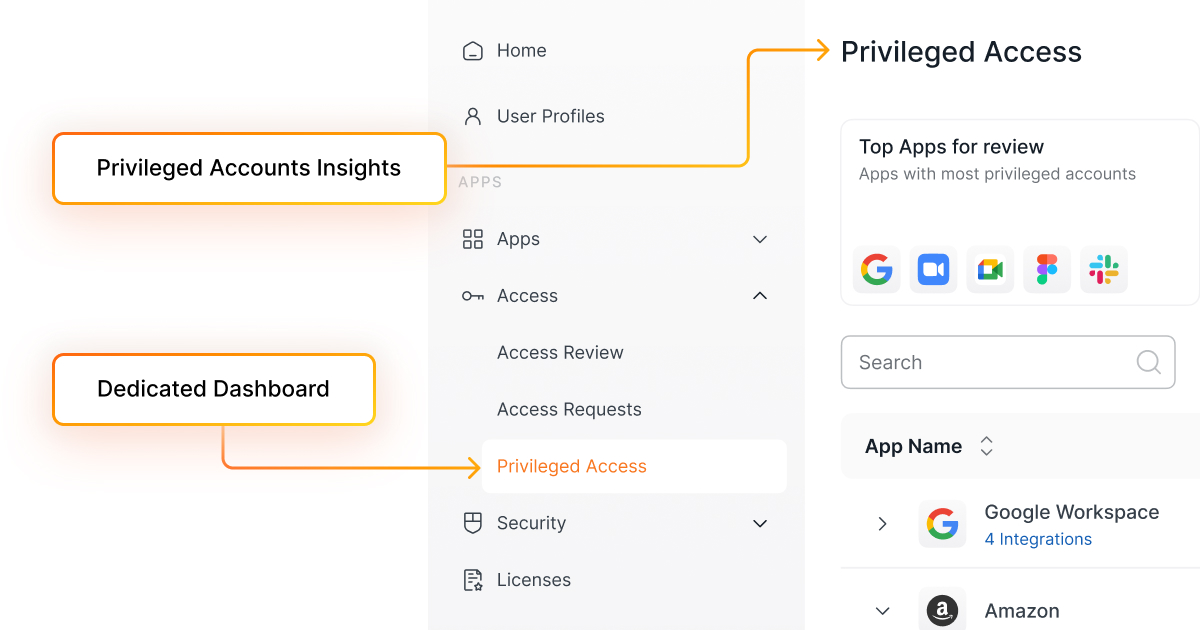
IT admins can now gain a unified 360° view of elevated and privileged roles across all managed apps — making it easier to identify risky accounts, shadow admins, and MFA gaps in one place.
Key Capabilities
- Privileged Access Tab: Centralized view under Access.
- Insight Cards: Metrics on Total, Shadow, Without MFA, and External Privileged Accounts.
- Forward Flow: Drill down seamlessly from summary cards or table entries for more details.
Feature Enhancements
User Profile Filtering for Microsoft Entra ID
Admins can now set up filters to control which user profiles from Microsoft Entra ID are synced into Josys. The following filter options are available:
- Domains: Include user profiles based on their email domain.
- Groups: Sync only users belonging to specific Entra ID groups.
- User Types: Filter profiles based on user type (e.g., Members, Guests).
Only user profiles that meet the configured filter criteria will appear in the “User Profiles” view. This update helps keep your directory clean and relevant by displaying only profiles that align with your organization’s defined policies.
Workflow Updates
Workflow Analytics with Real-Time Data
View KPIs for Ongoing Runs, Automated Access Review Responses, and Accounts Provisioned/Deprovisioned with click-through access to detailed workflow run histories.
- Instantly identify recent Workflow Failures and their failed actions, with direct navigation to run history for deeper investigation.
- Filter analytics by date range — Last 7 Days, Last 30 Days, Current Month, Last Month — or display all records for a complete overview.
New Filters for Workflow & Run History

Easily track and analyze workflows with new filter options for Workflow Type, App Name, and Action.
Action-Level Visibility
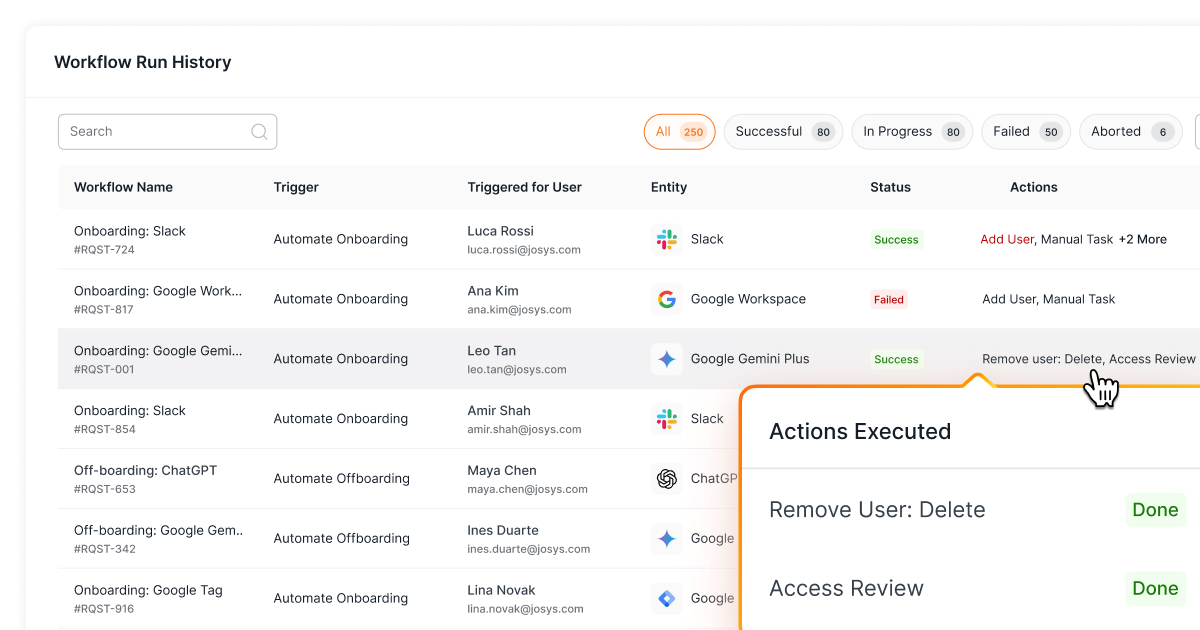
Workflow Run History now includes a new Action column with color-coded indicators to show progress status at a glance.
over your identities, applications, and files?
Sign-up for a 14-day free trial and transform your IT operations.




Questions? Answers.

What is Josys?

End-to-End Identity
Governance made easy for IT


.png)